We are unifying your trading experience
All Saxo-branded apps and platforms are now retired for Totality clients
From Wednesday 1 April 2026, the SaxoTrader and SaxoInvestor mobile apps, SaxoTraderGO web platform, and SaxoTraderPRO desktop application have been discontinued for Totality clients. Clients must now use our Totality-branded apps and platforms for their investing: the Totality mobile app, the Totality web platform, and the Totality Apex desktop application.
Switching platforms can feel like a big step, but it is already paying off for many Totality clients. It is the perfect time to transition to Totality's platforms and familiarise yourself with everything we have to offer.
Download the Totality app for iOS or Android


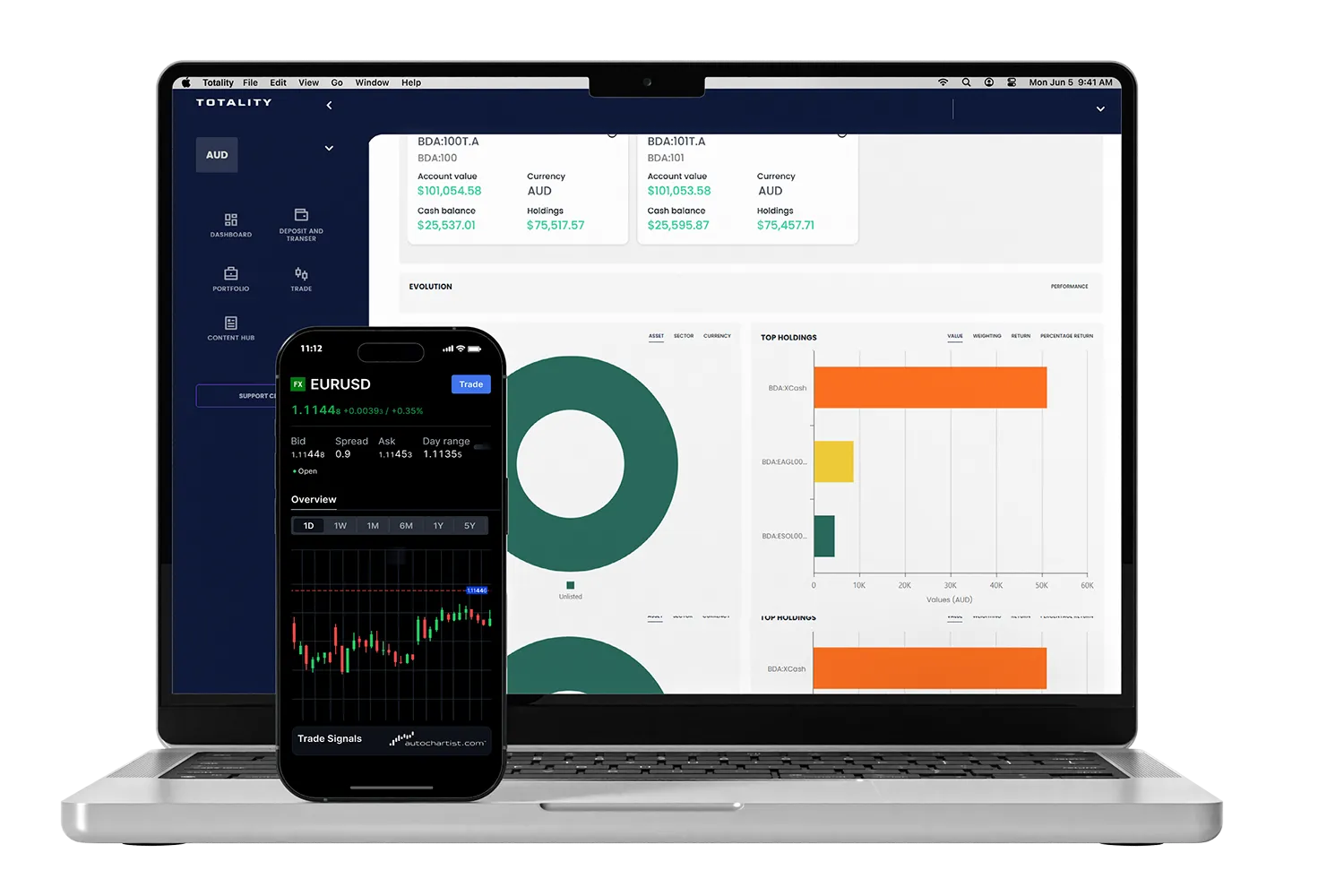
The Totality mobile app and web platform:
Your all-in-one account hub with trading platform access.
Platform features:
PLEASE NOTE: Existing Saxo Australia clients logging in to Totality-branded platforms for the first time must first reset their password. Click on "Forgot password" on the log-in screen and follow the prompts to reset your password.
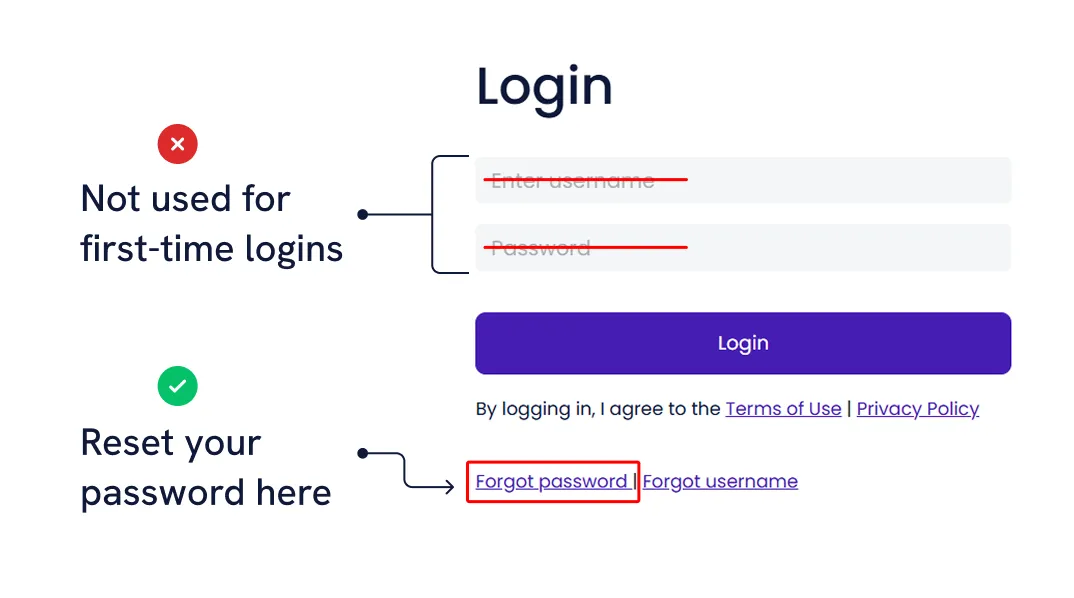
Please see our guides for logging in to Totality here:
First-time login - How to log in to the Totality mobile app for existing Saxo clients
First-time login - How to log in to the Totality web portal for existing Saxo clients
NOTE: To move directly from the Totality platform to the Totality Edge trading environment, click on the "Trade" button on the left-hand side of the screen (web) or the bottom of the screen (mobile).
Resources
How to view and raise a support ticket with Totality
How to withdraw funds in your Totality trading account
How to view all my account balances on the Totality mobile app
How to reset a forgotten username on the Totality mobile app
How to view your portfolio performance on the Totality mobile app
How to access Totality Edge via mobile and web browser
For more, view our resources page here.
Frequently asked questions
Need help? Our support team is ready to assist you. Just raise a ticket in-platform or contact us at help@totality.com.au.